

OffGrid / Family Safety
Coordinate around the current meeting plan.
Keep contact numbers and primary and backup meeting instructions together. See who has reviewed the plan, and check shared locations only when members choose to share.
Part of the optional household subscription · Creating an account starts no trial or charge.
Demonstration — fictional family, nothing saved
Who contacts whom?
Sam calls Alex. Alex handles Jo’s school pickup through the approved adult process. If they cannot reach each other, they follow the agreed meeting instructions and official advice.
Fictional contact roles, not real numbers. Your household tools keep shared contact numbers alongside your plan.
Try a meeting plan in 30 seconds.
Pick where this sample family meets if phones are down, and a backup if the first place is unreachable. No location is used and nothing you choose here is stored.
Choose both points to see the sample instructions.
Keep your household’s shared contacts, primary and backup meeting instructions, check-ins and acknowledgements together. The sample above is fictional, not a recording of the product.
Set up my family planWatch how Family Safety works
33 seconds · Illustrative explainer — example screens, not live household data
A shared plan in practice · 60 seconds
Family coordination scenario · 88 seconds
Checking current price and trial terms…
Your account is free. The household trial is optional and separate — creating an account starts no trial or charge. Marketplace purchases are separate. Compare access
New locations and notifications need powered phones, permission and connectivity. Background sharing needs your own opted-in device setup. Help in OffGrid is not an emergency-service request; follow official instructions.
A practical example
Three small steps to start.
- 01
Choose your contacts
Start with what matters to your household.
- 02
Agree your meeting points
Discuss the details and keep them together.
- 03
Practise and acknowledge the plan
Review together before relying on the plan.
Share by choice
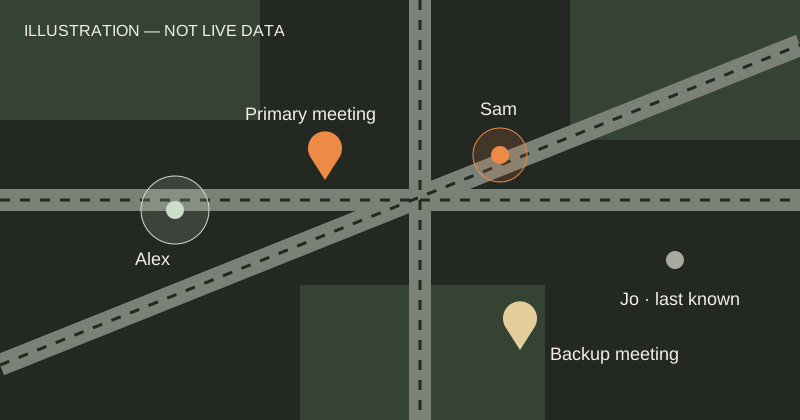
Consenting household members can share locations with update times and accuracy. Last known is not live.
Know which plan is current
Agree a primary and backup meeting place and see who has responded to the current instructions. When the meeting point changes, everyone needs to review it again. Arrival is self-reported, not verified safety.
Prepare without sending an alarm
Rehearse in a separate practice area without changing your real meeting plan. Prepare and save meeting instructions before you need offline access.
A few practical questions.
Is this continuous live tracking?
No. Check the source, update time and accuracy. Permission, device configuration and connectivity determine whether new locations arrive.
Can everyone choose whether to share?
Yes. Sharing is consent-based and limited to the household scope; a plan does not require pretending every device is online.
What works offline?
Prepared, saved instructions can be opened on the prepared device. New locations, acknowledgements and notifications cannot arrive without a connection.
Keep the rest of the plan connected.
Household PlanningVideo explainer
Prepare the essentials in one shared plan.
Weather & AlertsVideo explainer
Stay informed. Know how current it is.
Emergency PlanningVideo explainer
Agree when to act and where to go.
Offline ReadyVideo explainer
Keep a saved copy when the connection drops.
Recovery PlanningVideo explainer